Written by Gary Jones, originally published on GaryJones.io, and reposted here with permission.
In the Genesis Sample theme, there is a familiar commented line that says “Start the engine.” It appears in StudioPress child themes and in many Genesis child themes created by the wider community.
However, that line is not always necessary.
More accurately, it does not need to be necessary if the child theme is structured differently.
At first glance, the line looks harmless. It is short, familiar, and has been copied into countless Genesis child themes. But relying on it can introduce avoidable drawbacks, especially when building maintainable WordPress themes.
This article explains the issues with the traditional start the engine approach and compares it with a cleaner alternative: using a dedicated theme setup function.
Start The Engine
Let’s begin with the common Genesis child theme pattern.
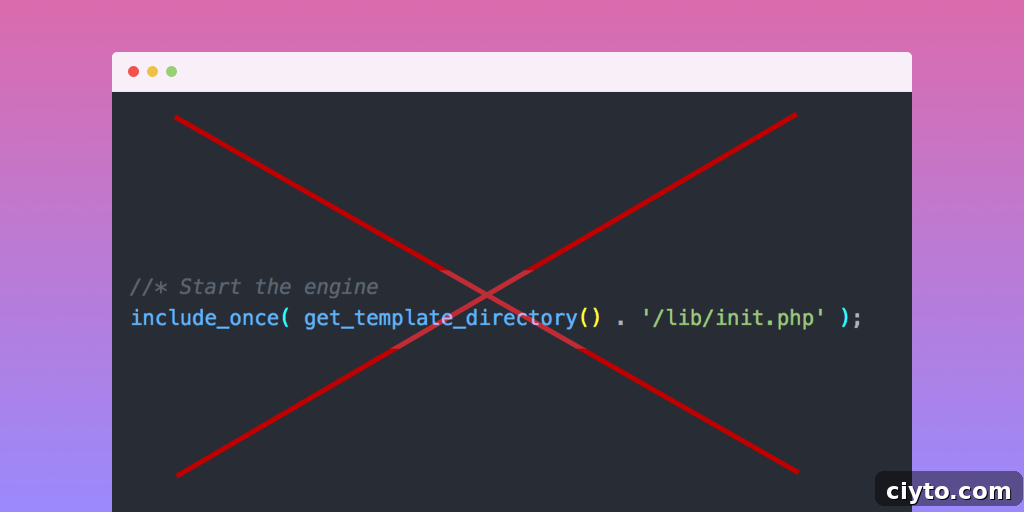
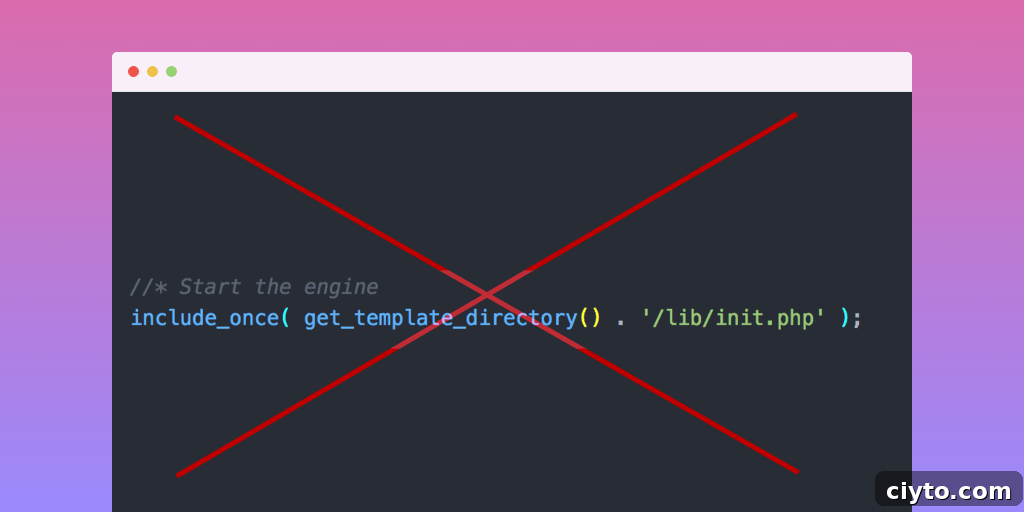
Child themes for the Genesis Framework by StudioPress usually include a functions.php file containing a line like this:
This line has been present since the first version of the Genesis Sample theme. Because of that, it became standard in StudioPress themes and in many child themes across the Genesis community.
Anyone with a basic understanding of PHP in WordPress themes can follow what is happening. The first line opens PHP mode. The second line is a comment. The third line includes the init.php file from the lib/ directory of the parent theme, which in this case is Genesis.
What Does init.php Do?
The init.php file is the Genesis initialization file. In Genesis 2.6, it performs several important tasks:
- Sets up an autoloader for Genesis class files.
- Calls the
genesis_preaction hook. - Defines the
genesis_i18n()function for loading Genesis language files and hooks it intogenesis_init. - Defines the
genesis_theme_support()function for adding Genesis and WordPress theme support features and hooks it intogenesis_init(). - Defines the
genesis_post_type_support()function for enabling Genesis functionality on Posts and Pages and hooks it intogenesis_init(). - Defines the
genesis_post_type_support_post_meta()function for enabling Genesis post meta functionality on public post types that are not Pages and hooks it intogenesis_init(). - Defines the
genesis_constants()function for setting PHP constants used by Genesis and made available to plugins and themes, then hooks it intogenesis_init(). - Defines the
genesis_load_framework()function for loading the framework files and hooks it intogenesis_init(). - Calls the
genesis_initaction hook, triggering the functions listed above. - Calls the
genesis_setupaction hook.
In short, the start the engine line causes the Genesis Framework to load immediately.
Advantages of the Start the Engine Approach
There are a couple of reasons why this method became popular:
- It is only one line. It is easy to copy, paste, and remember. However, fewer lines of code do not automatically mean better code.
- It loads Genesis before the rest of the child theme code runs, so the theme author can call Genesis functions without checking whether they are already available.
Those benefits are convenient, but they are limited. To understand the trade-off, it helps to look at a different approach.
The Alternative: A Setup Function
A cleaner option is to use a setup function. I call this the Bill Erickson Approach, because Genesis developer Bill Erickson was the first person I saw recommend it, although the idea also appears in default WordPress themes.
[Note from Bill: I got the idea from the default WordPress theme at the time, TwentyTwelve]
Here is a shortened example from Utility Pro by Carrie Dils:
 '__return_false' ) );

 // Add support for accessibility features
 add_theme_support( 'genesis-accessibility', array( 'skip-links', 'headings' ) );

 // Add support for three footer widget areas.
 add_theme_support( 'genesis-footer-widgets', 3 );

 // Add support for additional color style options.
 add_theme_support(
  'genesis-style-selector',
   array(
    'utility-pro-purple' => __( 'Purple', 'utility-pro' ),
    'utility-pro-green' => __( 'Green', 'utility-pro' ),
    'utility-pro-red' => __( 'Red', 'utility-pro' ),
   )
 );

 // Add support for structural wraps (all default Genesis wraps unless noted).
 add_theme_support(
  'genesis-structural-wraps',
  array(
   'footer',
   'footer-widgets',
   'footernav', // Custom.
   'menu-footer', // Custom.
   'header',
   'home-gallery', // Custom.
   'nav',
   'site-inner',
   'site-tagline',
  )
 );

 // Add support for two navigation areas (theme doesn't use secondary navigation).
 add_theme_support(
  'genesis-menus',
  array(
   'primary' => __( 'Primary Navigation Menu', 'utility-pro' ),
   'footer' => __( 'Footer Navigation Menu', 'utility-pro' ),
  )
 );

 // Add custom image sizes.
 add_image_size( 'feature-large', 960, 330, true );

 // Unregister secondary sidebar.
 unregister_sidebar( 'sidebar-alt' );

 // Unregister layouts that use secondary sidebar.
 genesis_unregister_layout( 'content-sidebar-sidebar' );
 genesis_unregister_layout( 'sidebar-content-sidebar' );
 genesis_unregister_layout( 'sidebar-sidebar-content' );

 // Register the default widget areas.
 utility_pro_register_widget_areas();

 // Load files in admin.
 if ( is_admin() ) {

  // Add suggested plugins nag.
  include get_stylesheet_directory() . '/includes/suggested-plugins.php';

  // Add theme license (don't remove, unless you don't want theme support).
  include get_stylesheet_directory() . '/includes/theme-license.php';
 }
}
Now let’s look at what this setup function does and why it can be a better pattern for Genesis child theme development.
What is a Setup Function?
A setup function is one function, or a small group of functions, used to organize a theme’s core setup tasks. These tasks may include adding or removing theme support, enabling or disabling post type support, registering image sizes, defining Genesis menus, registering widget areas, and handling other theme configuration.
This approach is not limited to Genesis child themes. Default WordPress themes, including the Twenty* themes, use their own setup functions. For example, TwentySeventeen uses this pattern, and Justin Tadlock has written about creating a theme setup function for WordPress themes in general.
In Genesis, the setup function is not called immediately. Instead, it is hooked into genesis_setup, which runs only after Genesis has finished loading. Because Genesis also hooks into genesis_setup, a later priority such as 15 ensures the child theme setup runs after the framework setup.
The example above uses one setup function, but the same idea can be split into multiple functions if that makes the code easier to organize.
Advantages of the Setup Function Approach
Using a setup function offers several important benefits:
- It avoids directly including a file from another code base.
- It respects the normal WordPress parent and child theme loading process.
- It reduces function calls in the global scope.
- It allows certain functionality to be hooked in before Genesis finishes loading.
Not including a file from another code base
When a child theme includes /lib/init.php directly, its code becomes tied to the internal file structure of Genesis. That creates unnecessary coupling. If the file is ever renamed or moved, the child theme may produce a fatal error.
You could check with file_exists(), but that does not remove the dependency. The child theme would still be looking for a specific internal file path in the parent theme.
A setup function avoids this issue by letting WordPress and Genesis load in their expected order.
Honouring the Default WordPress Load Order
The reason child themes traditionally included the Genesis initialization file was to make Genesis functions available early.
But WordPress already has a standard loading process: it loads the child theme first and then the parent theme. This happens automatically, and theme code should respect that behavior.
When we avoid calling Genesis functions directly in the global scope, we do not need to force Genesis to load early. WordPress will load the Genesis functions.php file, and Genesis will then load its own required files.
This keeps the child theme aligned with how WordPress is designed to handle parent and child themes.
Fewer Function Calls in the Global Scope
PHP has scopes. For this discussion, the important ones are function scope and global scope.
Function scope means code runs inside a function. Global scope means code runs outside a function as soon as the file is loaded.
When a function call exists in the global scope, it runs immediately when the file is included or required. In a child theme, that usually happens while WordPress is loading the theme.
This can make customization harder. A plugin developer may want to change how a theme behaves, but if the theme runs important function calls too early, there may be no opportunity to intercept or modify them.
When those calls are placed inside a setup function and hooked to a known action, other code can interact with them more safely. A plugin can unhook the setup function or run its own code earlier or later by using hook priorities.
The setup function pattern is not primarily a performance optimization. However, it does not create a noticeable performance problem either. The additional executed code is negligible during a normal request.
Allows Functionality to be Hooked in Before Genesis Loads
Delaying child theme setup until after Genesis loads can be useful, but there are also cases where running some code before Genesis setup is helpful.
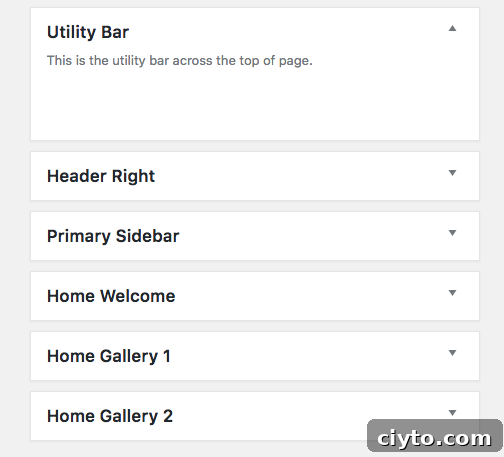
Widget areas are a good example. In the WordPress admin, widget areas usually appear in the order they were registered. If all custom widget areas are registered after Genesis, they appear below Header Right, Primary Sidebar, and Secondary Sidebar.
If a theme has a Utility Bar widget area displayed at the top of the front end, it may be more intuitive for users if that widget area appears before Header Right in the Widgets admin screen. A separate setup function can be hooked earlier to achieve that order.
What Should You Put Into Your Setup Function?
Should every global function call be moved into the setup function?
No. Some calls belong there, but others are clearer when left near the code they relate to.
Action and Filter Additions
Most add_action() and add_filter() calls can remain outside the setup function. These functions are part of WordPress, not Genesis, even if their callbacks use Genesis functionality later.
Keeping hooks near their callback functions often makes code easier to read and maintain. If the hook is in one place and the related function is hundreds of lines away, the relationship becomes harder to follow.
You could move both the hook and callback into the setup function, but that would create nested functions.
Nested Functions
PHP technically allows user-defined functions inside other functions:
function foo() {
 // ...
 function bar() {
 // ...
 }
}
In practice, nested functions should usually be avoided. If foo() is called more than once, PHP will try to define bar() again. Since that function already exists after the first call, the second call can cause a fatal error.
Nested functions also reduce reusability and make the code harder to work with.
Action And Filter Removals
Unlike adding actions and filters, remove_action() and remove_filter() calls may need to be placed inside the setup function.
A common mistake is calling remove_action() in the global scope before Genesis has added the action you want to remove. If the original action has not been added yet, the removal will not work.
By placing removal calls inside a setup function that runs after Genesis has finished setting up, you make sure the action exists before attempting to remove it.
WordPress Functions
WordPress functions such as add_image_size(), add_theme_support(), and setting the global $content_width do not strictly have to be inside the setup function.
Still, it often makes sense to include them there because they are part of the theme’s setup and configuration. Keeping related setup tasks together improves readability and makes future maintenance easier.
Summary
Most Genesis child theme customizations already rely on hooked functions. Because of that, it is logical to place important setup calls inside one or more functions and hook those functions into the appropriate point in the WordPress and Genesis loading process.
The next time you work on a Genesis child theme, consider whether you really need to start the engine by directly including an internal Genesis file. In many cases, a setup function is cleaner, more flexible, and more consistent with the way WordPress loads parent and child themes.